



About This App
Category
Video Players & Editors
Installs
500,000,000+
Content Rating
Rated for 12+
Screenshots


Editor Reviews
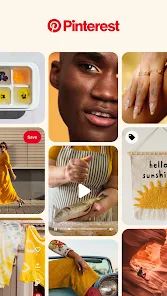
I've been using Pinterest for years now, and it's honestly one of my favorite apps on my phone. At its core, Pinterest is a visual discovery app. People use it to find ideas for pretty much everything – recipes, home decor, fashion, travel destinations, you name it. It launched way back in 2010 and is super easy to get on both the Google Play Store and the App Store. The download numbers are huge, in the hundreds of millions, which tells you how popular it is. The app itself is free to install and use. You don't absolutely need an account to browse, but to save pins or follow boards, you'll have to sign up, which is quick and free. Like most free apps, you'll see some ads mixed in with your feed, and there are options for in-app purchases if you want to promote your own business pins.
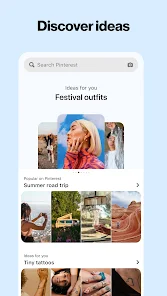
Using the app is pretty intuitive. You just search for something you're interested in, like "easy weeknight dinners," and you're hit with a waterfall of images and ideas. The trick is to be specific with your searches to get better results. I save pins I like to my own boards, which I organize by topic. It's like having a digital vision board or scrapbook for all my projects. The more you use it and save things, the better the app's recommendations get. It learns what you're into and shows you more of that.
Compared to other apps in the same genre, like Instagram or even just using Google Images, Pinterest is in a league of its own for planning and collecting ideas. Instagram is more about real-time updates and social connections. Pinterest is less about who posted it and more about the idea itself. I choose it over others because it's purely inspirational and project-focused. When I'm planning a room redesign or looking for a craft, I go straight to Pinterest. Other platforms might show you a nice picture, but Pinterest helps you organize and act on those inspirations.
Features
- 🔍 Visual Search Engine: Unlike a standard social media app, Pinterest functions best as a powerful visual search tool. You can take a photo of anything – a piece of furniture, a plant, an outfit – and the app will find similar images and products online. It's way more effective for discovery than just scrolling through a feed.
- 📌 Organized Idea Boards: The core feature is creating themed boards to save your "pins." This organizational system is what sets it apart. You can have a board for wedding ideas, one for tattoo inspiration, and another for workout routines, keeping everything neatly categorized and accessible.
- ✨ Personalized Home Feed ("Smart Feed"): After you install the app and start interacting, your home feed becomes highly tailored. It surfaces ideas based on your past saves, searches, and even the pins you've looked at. It constantly introduces new but relevant content, making browsing addictive and fruitful.
Disclaimer
1.ApexRaid does not represent any developer, nor is it the developer of any App or game.
2.ApexRaid provide custom reviews of Apps written by our own reviewers...